For designers, ASO, and indie devs

Ship localized store screenshots in hours, not days.

A Figma plugin that translates, composes, and uploads your screenshot sets to App Store Connect and Google Play. Powered by AI translation with brand glossaries.
Free to install·No extra accounts·Built for your workflow

Figma
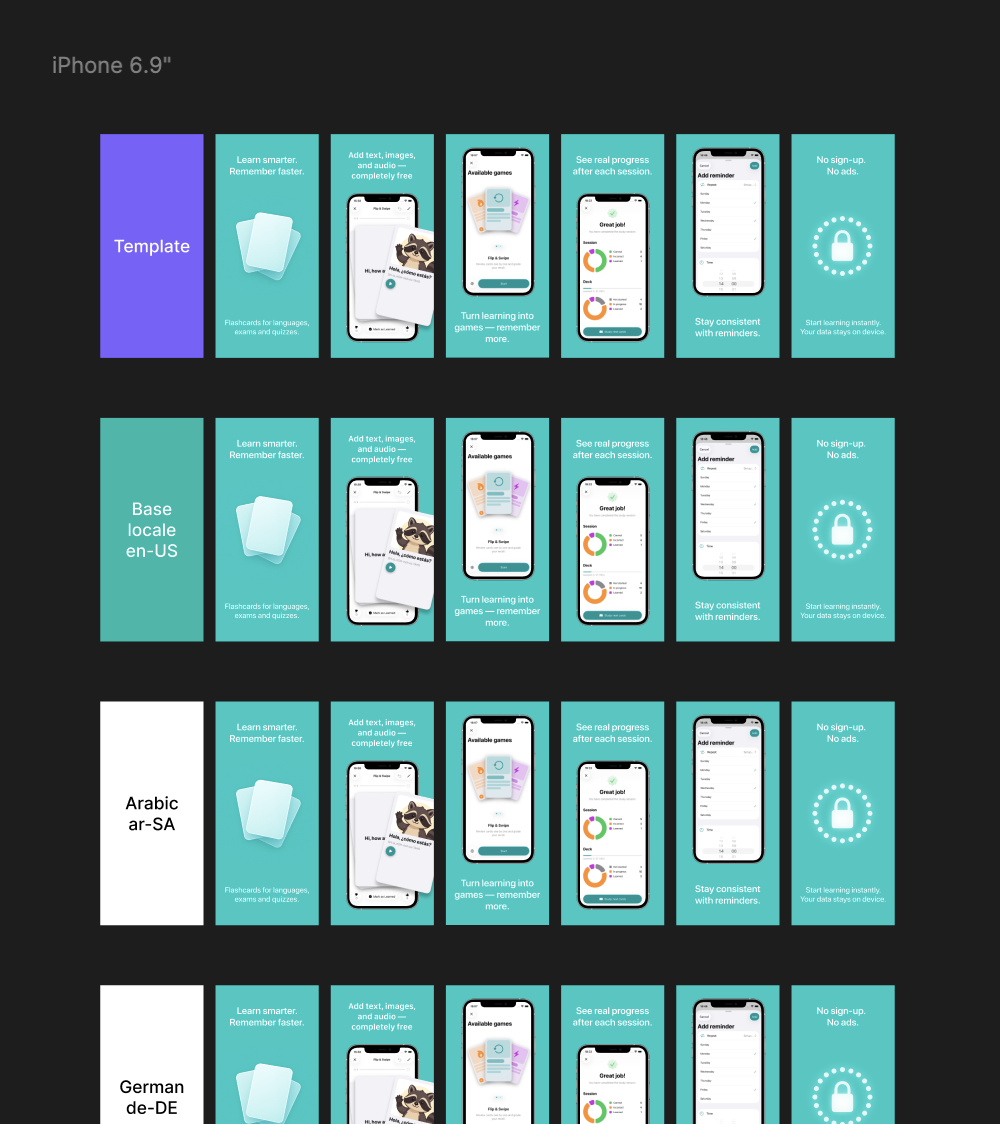
Localized App Store screenshot frames across locales on the Figma canvas
Asorium
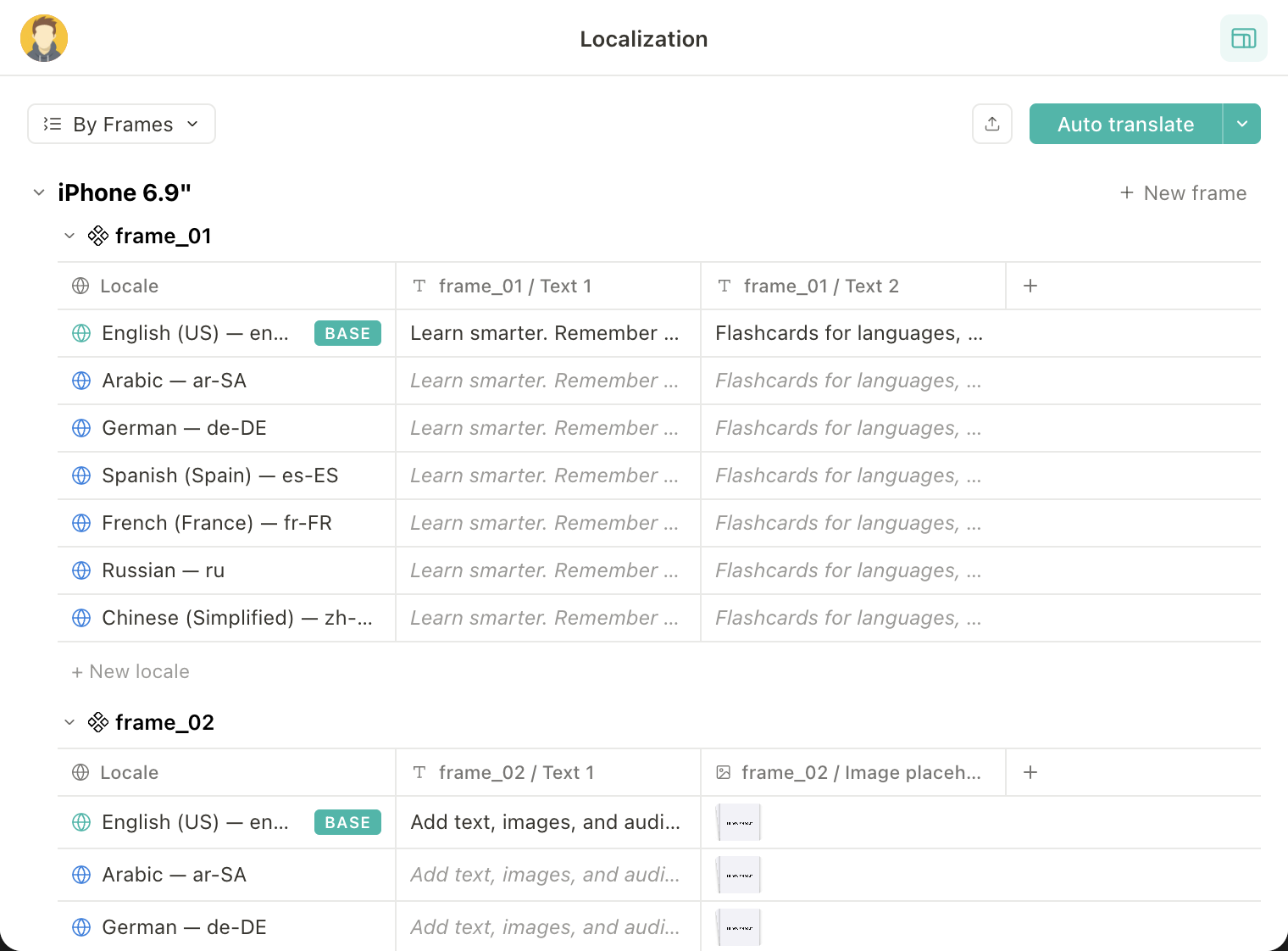
Localization table auto-translating screenshot copy across locales

Localizing screenshots eats your week.

20locales
×
10screens
×
3devicesizes
×
2platforms
=
0files every release

To capture, compose, translate, review, and upload. Without errors. Then again next release.

Capturing screenshots

8 hours to grab 13 locales on a real device. By the time you're done, marketing wants new copy.

File management hell

Drive becomes a maze of Locale / Device / Version folders nobody trusts.

Manual text replacement

Re-typing translations, fixing line breaks, one screen at a time. Twenty times.

Store rejections

Alpha channel issues, sizing problems, half a day wasted dragging PNGs into the wrong slot.

Core features

Less manual work. Faster localized screenshots.

Keep layouts reusable

Set up your screenshot structure once, then update copy, assets, and screen order across all locales without rebuilding frames one by one.

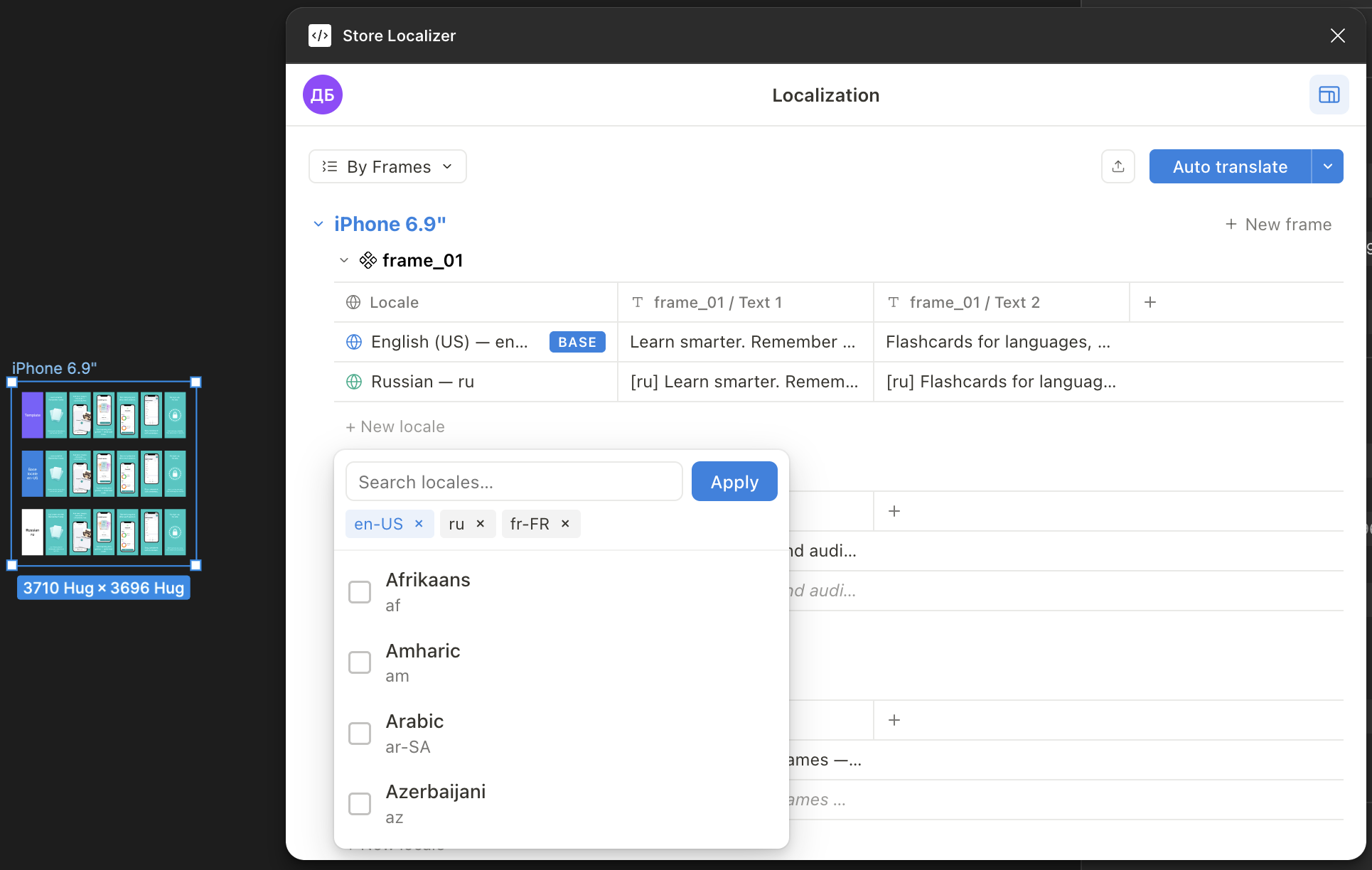
localization · by framesFigma plugin showing localization matrix with frames and locales
Most-loved feature

AI translations with native-level polish.

Create high-quality AI drafts for every locale at once — fast enough for ASO tests, release updates, and last-minute copy changes.

Translate selected frames18 strings
FRFrenchready
DEGermanready
JAJapaneseready
PTPortuguesedrafting
Store headlineTrack habits without breaking your streak.

Use your brand glossary

Tell AI what to keep, translate, or reuse — from product names to market-specific phrasing.

Glossary protected
Asorium keeps brand terms consistent across every locale.Asorium

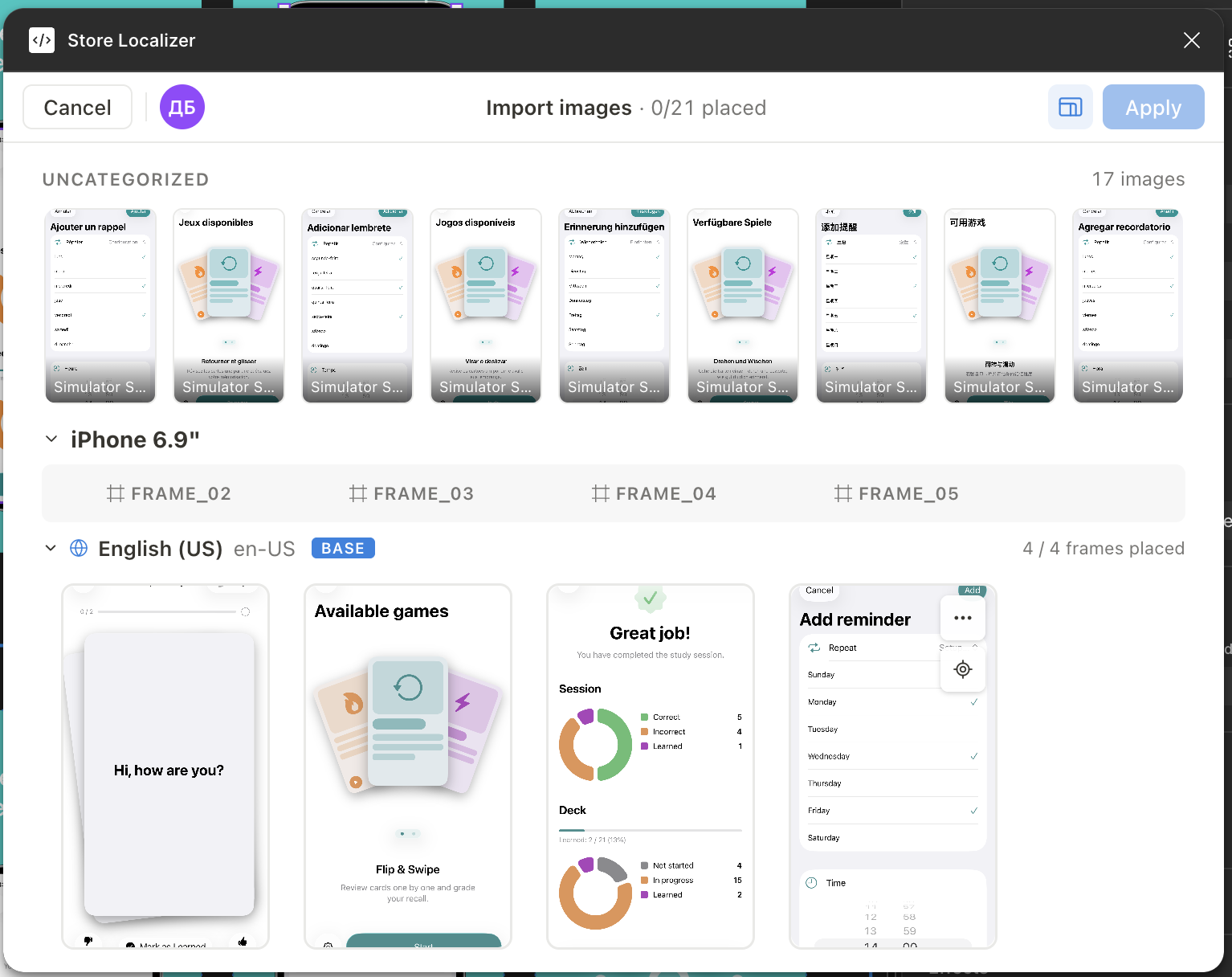
Batch import screenshots. Just drop a folder.

Use Import Manager to organize raw screenshots by locale and device, then place them into layouts without clicking through every frame manually.

import images · 0/21 placedImport Manager with uncategorized images and locale slots

Keep your translator workflow

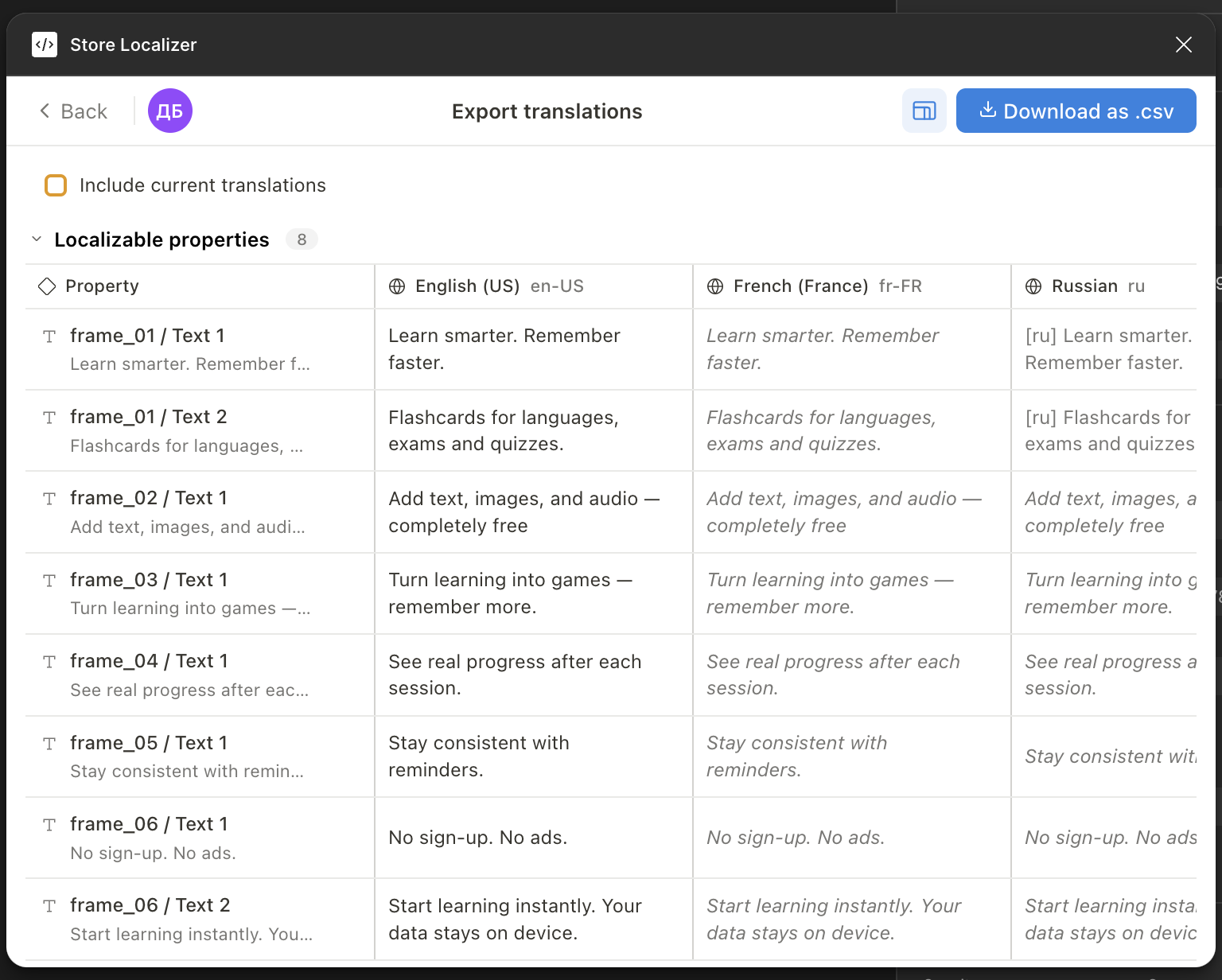
Prefer the old-school way? Asorium supports CSV export and import.

export translations · .csvExport translations CSV view

Upload directly from Figma to the stores

Push finished screenshot sets to App Store Connect and Google Play Console — without exporting folders, renaming files, or dragging PNGs into store dashboards.

Render
17 locales · PNG · 1290×2796
Validate
All stores accept
Upload
4 of 17 uploading…
Publish
Awaiting upload
Who it's for

One plugin. Three superpowers.

Designers

Stop being the bottleneck. Mark the layout once, let the team refresh translations and re-upload screenshots without you in the loop.

ASO specialists

Stop waiting on screenshot production. When the data is ready, update your next ASO variant and ship localized screenshots in hours.

Indie developers

Localize to dozens of languages without hiring a localizer. AI translation + Figma + store upload — one tool, one Saturday afternoon.

For managers

What this means for your team.

MetricWithoutWith Asorium
Screenshot update cycle2–5 days of manual work4–8 hours, mostly screenshot capture
ASO iteration speedBlocked by screenshot productionOnly limited by how fast data is collected
Localization mistakesEasy to miss across localesEasier to catch and prevent
Team bottlenecksDesigner, ASO and translators wait on each otherReview, approve, ship

Based on a typical project with 10–20 screenshots, 10+ locales, and 2 store platforms.

Your team's number.

Locales12
Screens per locale8
Releases per year12
You get back
17 hours / month
Integrations

Tell us what should connect next.

We're starting with the core screenshot workflow: Figma, App Store Connect, and Google Play Console. If your team needs Asorium to plug into translation tools, CI/CD, or internal systems, send us a request.

Pricing

Choose the plan that fits your localization workload.

Lite
$4,99/month
  • Up to 5 locales
  • Basic AI translations
  • App Store Connect upload
  • For personal projects
Subscribe
Ideal for indie apps with a few locales to manage.
Enterprise
Custom
  • Everything in Team
  • Custom integrations on request
  • SSO + audit log
  • SLA + named support
Contact us
For companies that need higher limits, custom workflows, or dedicated support.
Questions, answered

Things people ask before installing.

All your strings, glossary, and frame metadata live in your Figma file as plugin data. Your team has full ownership — uninstall the plugin and the data is still yours, in the file.
Only the text you choose to auto-translate is sent, and only to the provider you authenticate (Anthropic or OpenAI, your key). We don't store your text on our servers and we don't train on it.
We tested on 200-frame files across 40 locales. Operations run off the main thread; markup and translation lookups are O(1) per layer. If your file already opens, Asorium will run on it.
The plugin pre-validates sizes, alpha channels, and aspect ratios before uploading and surfaces store-rejection codes inline with a suggested fix. Re-upload after the fix, no need to redo the whole batch.
Yes. CSV import/export round-trips with any TMS — Crowdin, Lokalise, Smartling, or a spreadsheet. AI translation is opt-in; you can ship all translations from your translators and just use the plugin for composition and upload.
Tell us. We prioritize integrations by demand from paying teams — most new integrations ship in 2–3 weeks from request.

Get your week back.

Install the plugin for free — no card, just Figma.

Install for freeView on Figma Community →